

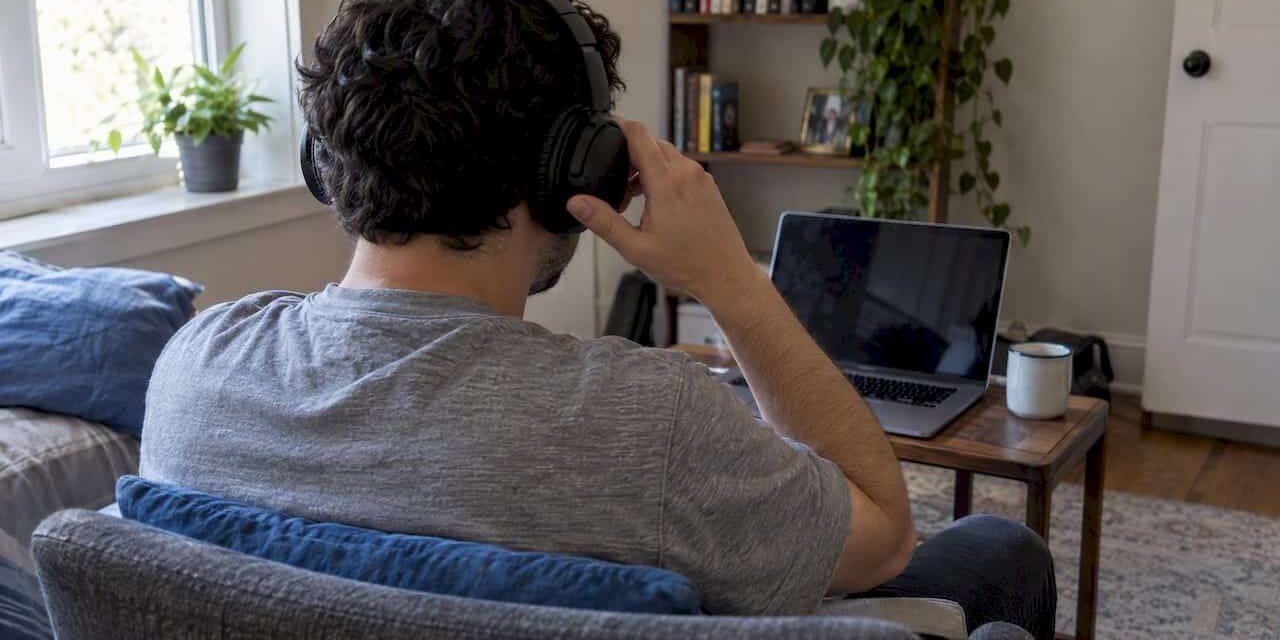
To prepare for online therapy, do five things before your first session: find a private room, test your device and internet connection, gather your health information and questions, write down an emergency plan, and log in early. None of it is hard, and most of it takes less than an hour. Doing it ahead of time means your session goes to the conversation, not to troubleshooting.
If you feel nervous, that is normal. Many people do before a first appointment, whether it happens in an office or on a screen. This guide walks you through each step in plain terms, with guidance from federal health agencies where it matters.
TL;DR
- Choose a room where no one can overhear you, and wear headphones. Avoid public or unsecured Wi-Fi.
- Test your camera, microphone and internet, close other apps, and plan to connect about 15 minutes early.
- Have your medical history, medication list, pharmacy details and a short list of symptoms and questions ready.
- Write an emergency plan: your exact location, local emergency numbers, a nearby contact, and a backup way to reach your therapist.
- Ask how consent, confidentiality and technical failures are handled. If the format does not feel right, say so.
Table of Contents
- Before you book: is online therapy right for you?
- Set up a private space
- Test your technology
- Gather what you need to share
- Understand consent and confidentiality
- Make a safety plan
- What happens in a first online session
- Our perspective: preparation lowers the barrier
- Prepare for therapy at Your Family Walk-In Clinic
- After your session
- Final checklist
- FAQ
- Sources
Before you book: is online therapy right for you?
Virtual therapy works well for many people, including those with anxiety and depression. The National Institute of Mental Health describes telemental health as a growing way to connect with providers by video, phone, text or email, and encourages you to tell your provider if the treatment is not helping or the format feels wrong for you.
Online sessions tend to suit you if you:
- Have a private place at home, or somewhere else, to talk for the full session
- Have a reliable device and internet connection
- Find travel, work hours or childcare make weekly office visits hard
- Feel more at ease opening up from a familiar space
In-person sessions may suit you better if you have no private space, if your home is not a safe place to speak openly, or if you simply find screens distancing. That is a legitimate preference, not a failure. At our clinic in Lutz, therapy is offered both in the office and virtually, so you can choose the format that fits and change it later.
If you are choosing between providers, our guide on how to choose a therapist covers the questions worth asking.
Confirm where you will be during the session
Therapists are generally licensed by state. A Florida-based therapist usually needs to be licensed for the state where you are sitting during the session. If you travel, ask before you schedule. Do not assume a session from another state, or from a vacation, is allowed.
Set up a private space
Privacy is the part of preparation people most often skip. The U.S. Department of Health and Human Services (HHS) advises that you find a quiet, private location, use headphones and avoid public or unsecured Wi-Fi before a telehealth visit. Here is how that looks in a real home.
- Pick a room with a door. A bedroom, home office or even a parked car can work. A kitchen with family walking through usually does not.
- Think about sound, not just sight. A closed door does not stop sound. HHS notes that headphones keep others from overhearing the therapist’s side of the call. A white noise machine or a fan outside the door helps.
- Use your own secure network. Home Wi-Fi with a password is better than a café or library network.
- Check lighting and background. Face a window or lamp so your therapist can see your expression. Keep the background simple.
- Silence notifications. Turn off phone alerts, close other tabs and put pets or small children in someone else’s care if possible.
What if your home is not private?
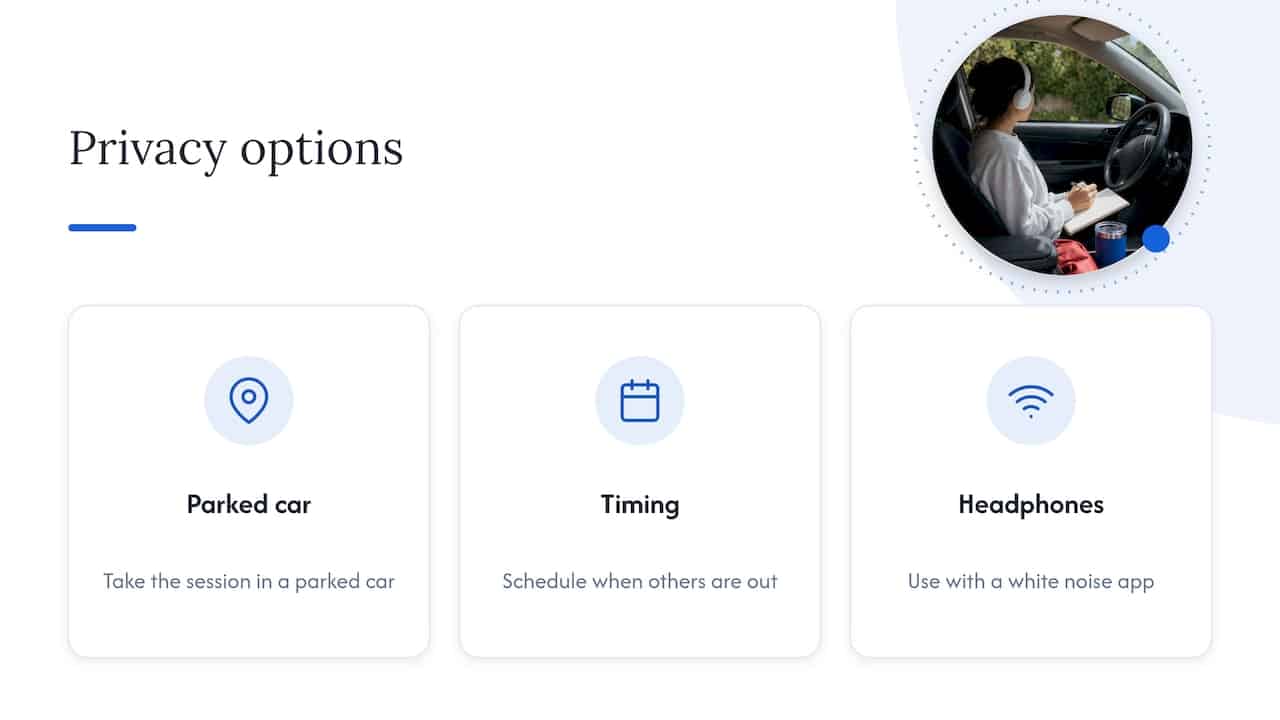
This is common, especially for teens, roommates and parents of young kids. Options include taking the session in a parked car, scheduling when others are out, or using headphones with a white noise app. Tell your therapist if privacy is a problem. They can adjust, for example by asking yes or no questions or switching to in-person visits.
If you want to understand what your therapist can and cannot keep private, this explainer on therapy confidentiality and its limits is a useful read before your first session.
Test your technology
A technical problem in the middle of a hard conversation is frustrating. A short test avoids most of them.
| Check | What to do |
|---|---|
| Device | A laptop, tablet or phone all work. A laptop or tablet on a stand is steadier than a handheld phone. |
| Charge | Plug in your device or charge it fully. |
| Camera and microphone | Open the platform your therapist uses and run its test. Allow camera and mic access when prompted. |
| Headphones | Test them. They should not pick up background noise or echo. |
| Internet | Close other apps and streaming. HHS recommends closing other applications to keep speed up and reduce distractions. |
| Login | Download any app or click the link a day ahead, not five minutes before. |
Connect 15 minutes early
HHS guidance suggests you connect about 15 minutes before your appointment. That time lets you fix a camera or microphone issue without eating into your session, and helps you get comfortable with the screen. You may wait in a virtual waiting room until your therapist admits you. That is normal.
Ask what happens if the connection drops
The American Psychological Association (APA) encourages patients to ask how to use the platform and what to do if technology fails. A simple agreement is enough: if the video freezes, you will rejoin the link, and if that fails, the therapist will call your phone. Save their number in your phone before the session.
Gather what you need to share
For a first appointment, HHS says you should be ready to provide your medical history, current medications (or the bottles), your pharmacy’s contact information, and specific questions or symptoms. Some providers also ask you to sign informed consent forms electronically.
A short prep list:
- Photo ID and insurance card, if you plan to use insurance
- A list of medications, doses and supplements
- Names of other providers you see, such as your primary care provider
- Any past therapy or diagnosis history you remember
- Intake paperwork, completed ahead of time when possible
If you are new to our clinic, our new client counseling packet is the paperwork to look at before you come in.
Write down what is on your mind
You do not need a polished story. A few lines in your phone notes are enough:
- What brought you to therapy now
- Symptoms: sleep, appetite, mood, worry, focus, physical symptoms, and how long they have lasted
- What you have already tried
- What you hope will be different in three months
- Questions for the therapist
It also helps to think about how to speak up for yourself with any health professional. This guide on preparing for a telehealth visit offers practical scripts for making sure your concerns are heard.
Questions worth asking in the first session
- What is your approach, and how does it fit what I am dealing with?
- How often will we meet, and how long is each session?
- What are your fees, and how does insurance work?
- How do you handle cancellations and missed sessions?
- What happens if I have a crisis between sessions?
- How is my information stored, and who can see my records?
Understand consent and confidentiality
The APA says informed consent in telepsychology is more than a formality. It should cover the particular risks of virtual care, including limits to confidentiality and emergency procedures that differ from in-person visits. Read the form. If something is unclear, ask before you sign.
If the patient is a minor, rules about consent and who can see records are different. Parents and teens can read our guides on online therapy for teens in Tampa and on therapy for minors and records in Florida.
Make a safety plan
This step feels uncomfortable, so people skip it. Do it anyway. It takes ten minutes.
HHS recommends that every telehealth patient have an emergency plan that includes your current location, local emergency numbers and a local emergency contact, such as a neighbor, friend or family member. The plan should also say what counts as a crisis and what happens if the call is disconnected, including a second way to reach your therapist.
Your plan should include:
- Your street address for where you will be during the session, and an update if you move locations
- Local emergency numbers for your actual location
- A nearby person who agrees to help if needed
- A reconnection plan: a backup phone number for your therapist
- A quiet way to reach out: HHS suggests setting up a way to communicate by text, email or secure chat if you are ever in a place where it is unsafe to speak aloud
Why 911 depends on where you are
If you are in a different city or state than your therapist, calling 911 reaches the emergency services where your phone is, not where your therapist is. That is why your therapist needs your current address and the local numbers for it, and why you should tell them if you are away from home.
If you or someone near you is thinking about suicide or is in a mental health crisis, call or text 988, the 988 Suicide & Crisis Lifeline, which offers free support around the clock. For immediate danger, call 911.
What happens in a first online session
Most first sessions follow a similar shape. You can expect:
- Introductions and consent. Your therapist confirms your identity, location and a phone number, and reviews confidentiality.
- Background. You talk about what brought you in, your history and your current life.
- Goals. You and your therapist discuss what you want from therapy.
- How therapy works. They explain their approach, scheduling and fees.
- Wrap-up. You agree on next steps and book the next session.
You do not have to tell everything at once. It is fine to say you are not ready to talk about something yet. For a fuller picture of the first hour, read how to prepare for your first therapy session.
Our perspective: preparation lowers the barrier
We see the same pattern with new patients. The ones who feel most anxious about therapy are rarely worried about the therapy itself. They worry about small things: Will someone hear me? What if the video freezes? What do I say first? Those worries are practical, and practical problems have practical fixes.
Our clinic in Lutz is a walk-in family practice open seven days a week from 8 AM to 8 PM, and we offer therapy and counseling for adults and children, both in the office and virtually. Because therapy sits under the same roof as primary care and urgent care, a conversation about stress, sleep or mood can start with the provider you already know. You do not need to figure out the whole system alone.
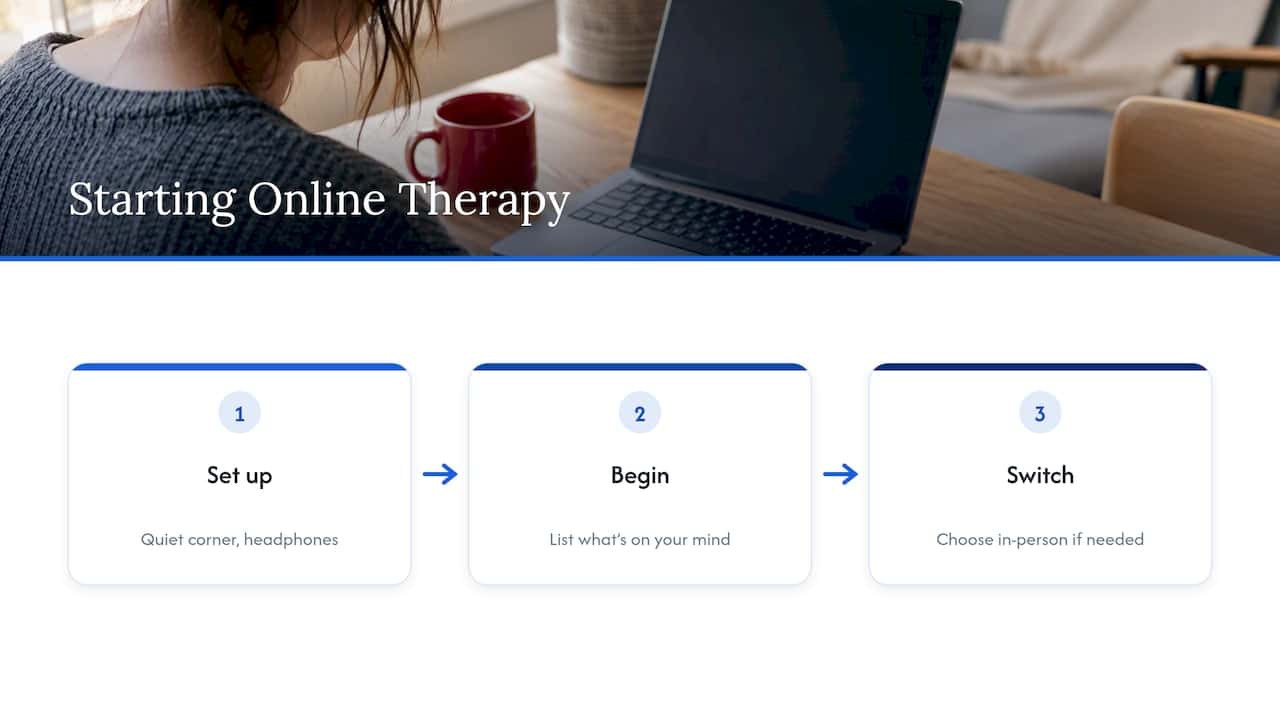
Our advice is simple. Do not wait until everything is perfect. A quiet corner, a pair of headphones and a short list of what is on your mind is enough to begin. If online therapy turns out not to feel right, that is useful information, and switching to in-person visits is a normal next step.
— Lisa
Prepare for therapy at Your Family Walk-In Clinic
If you live in Lutz or the Tampa area and want to start, our therapy page explains how counseling works at our clinic, including virtual sessions, and how to reach us at (813) 793-8555. We accept major health insurance plans, Medicaid and self-pay. If you also need a physical, a screening or same-day care, you can see everything we offer on our services page.
After your session
Take five minutes when the session ends. Write down what you discussed, any homework, and how you feel. Note what worked and what did not, including anything about the format: was the video clear, did you feel comfortable, could you speak freely?
Give it a few sessions before you decide. Therapy takes time, and the first visit is mostly about getting to know each other. But trust your read. If after several sessions you do not feel understood, or the virtual format feels wrong, tell your therapist. NIMH advises that you raise this with your provider or consider a different provider or format.
Final checklist
The day before
- Install or test the video platform
- Charge your device and find your headphones
- Finish any paperwork
- Save your therapist’s backup number
One hour before
- Choose your room and tell the household you need privacy
- Write down symptoms and questions
- Have your medication list and ID nearby
- Write your address and emergency contacts where you can see them
Fifteen minutes before
- Close other apps and silence notifications
- Put on headphones and test audio
- Log in, and wait in the virtual waiting room
FAQ
How early should I log in for an online therapy session?
About 15 minutes early, according to HHS telehealth guidance. That gives you time to fix camera or microphone problems without losing session time. You may wait briefly in a virtual waiting room.
What should I have ready for my first session?
Your medical history, a list of medications, your pharmacy’s contact information, and a short list of symptoms and questions. Have your ID and insurance card nearby too. Complete any intake forms before the session if you can.
What should I do if the video call drops?
Try to rejoin the same link first. If that does not work, expect a phone call from your therapist, and make sure you have their number saved. Agree on this plan at the start, as part of your emergency plan.
Can I do online therapy from a different state?
Not always. Therapists are generally licensed by state, so ask your provider before you schedule a session from somewhere other than where you normally live. Your location also matters for emergency services, so always tell your therapist where you are.
Is online therapy as good as in-person therapy?
For many people, yes. NIMH describes telemental health as effective for conditions like anxiety and depression. What matters most is that you feel comfortable with your therapist and the format, and you can change either if you do not.
Sources
- Helping patients prepare for their telehealth appointment, Telehealth.HHS.gov
- Protecting patients’ privacy, Telehealth.HHS.gov
- Creating an emergency plan for telebehavioral health, Telehealth.HHS.gov
- Informed consent checklist for telepsychological services, APA
- Getting Mental Health Support Virtually, NIMH
- 988 Suicide & Crisis Lifeline, SAMHSA